Understanding nodes
Nodes are the fundamental building blocks in tailrmade with which you create your apps data flow and logic.
What are Nodes?
Nodes are self-contained units of functionality that:
- Accept inputs
- Perform operations
- Produce outputs/Display a widget
They allow you to break down complex problems into smaller, manageable parts that can be connected together.
Anatomy of a Node
Each node consists of:
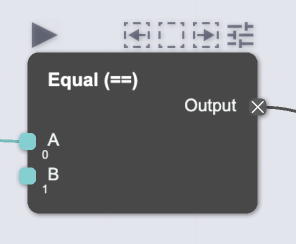
- Header - Contains the node name and controls
- Input Sockets - Left side, accept data from other nodes
- Output Sockets - Right side, send data to other nodes
- Hover controls - Appear on hover, for quick actions
Learn more about Sockets and Data Types
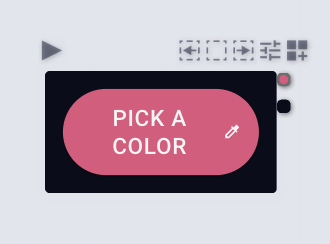
Nodes come in 2 main flavors:
- Standard nodes
- Hybrid nodes - Hybrid nodes render a UI and can be interacted with
Finding Nodes
To find the right node:
- Double-click the canvas or press
Cmd/Ctrl+F - Type a search term related to what you want to do
- Browse results and select the appropriate node
Learn more about how to Build your graph
Node Categories
Nodes in tailrmade are organized into several categories:
- Data Sources - Import or generate data
- Data Processing - Transform and manipulate data
- Logic - Control flow and conditional operations
- Math - Mathematical operations and calculations
- Drawing - Display and visualize data
- Widgets - UI and layout components
- Macros - Group nodes into reusable components
- Custom - Your own custom-created nodes