Update the execution logic
Nodes are executed and update their outputs based on specific triggers.
- on load
- on change
- Allows cascading updates through connected nodes
- on interval
- on trigger
- Allows to build more custom logic
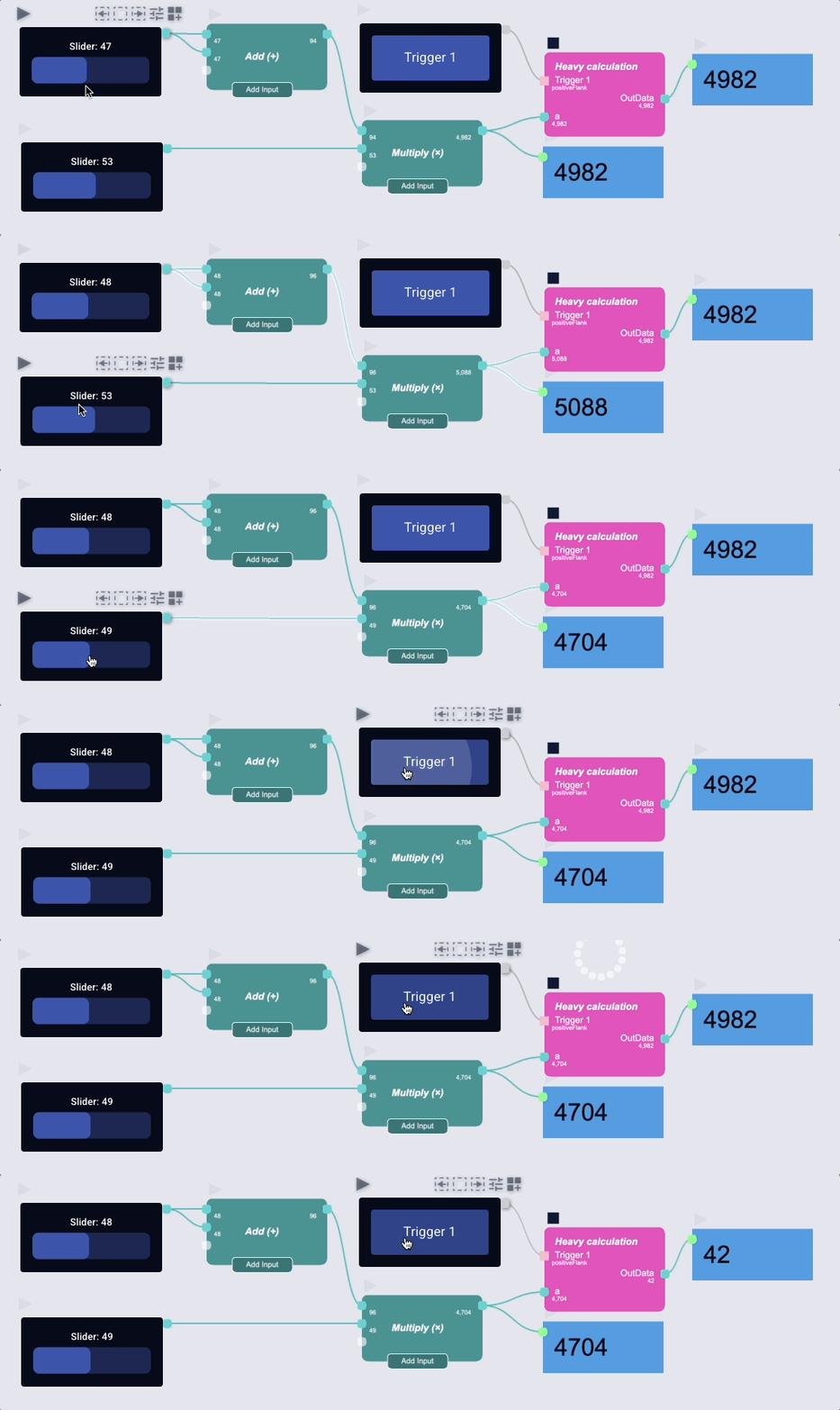 In above example, all nodes are set to update "on change" except for the "Heavy calculation" node. This get's updated "on trigger".
info
You can also combine multiple update methods.
Checking the update behaviour
 |  |  |
|---|---|---|
| Update on change | Update on interval | Update on trigger/manually |
Changing the update behaviour
- Select the node and open the inspector
- Show the "Common" section
- Select the desired update behaviour
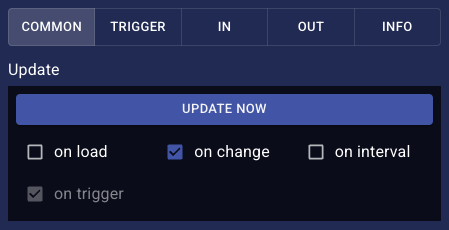
Update on load
- The node calculates its output once when the node is added/pasted or when the app is loaded
Update on change
- The node recalculates its output whenever any of its inputs change
info
- Nodes are executed in the correct order to ensure data flows correctly
- Each node's outputs are calculated before dependent nodes execute
Update on interval
- The node updates at regular time intervals
- Set the time interval in milliseconds
Update on trigger
The node updates when it receives a trigger signal.
Add a trigger input
- Right-click the node and select "Add trigger input"
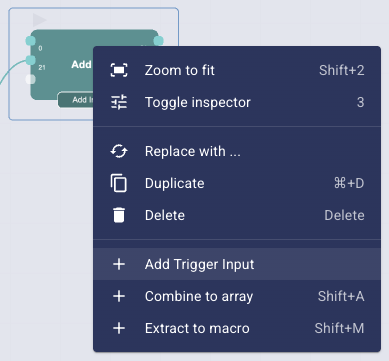
Configure a trigger input
- Select the node and open the inspector
- Show the "Trigger" section
- Click on the expand icon on the right
- Change the trigger method
Available trigger methods
- positiveFlank: Triggers when the new value is larger than the previous one
- negativeFlank: Triggers when the new value is smaller than the previous one
- change: Triggers when the new value is different from the previous one
- always: Triggers on every execution, regardless of value
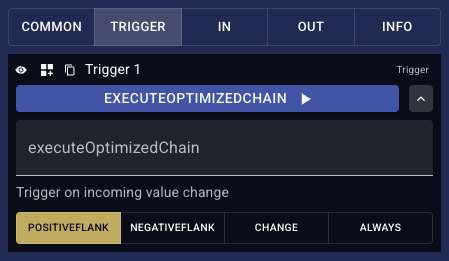
warning
Do not change the name of the trigger function!
Update on manual trigger
- Hover over the node
- Click the "Trigger" button
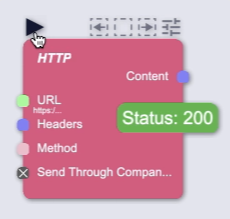
OR Click the "Update now" button in the inspector