Share your app
By default, your app is private and only accessible to you. You can share your app with others by
- making it public and sharing the link
- downloading it and share it the old fashion way
- create a content link and share that
- this encodes the whole content of your app into the URL
- useful for sharing small apps quickly
tip
To share the app with a hidden canvas/graph
- Maximise the user interface

- Save the app
- Next time you or someone else opens the app
- the canvas and the toolbar are hidden
- clicking on the tailrmade logo in the top left corner shows the toolbar again

Share via public link
- Sign in to tailrmade
- Learn more about how to Sign in to tailrmade
- Open the app you want to share
- Open the "Edit app details" dialog
- by clicking the "Edit app" button in the apps list
- OR by pressing
Cmd/Ctrl+E
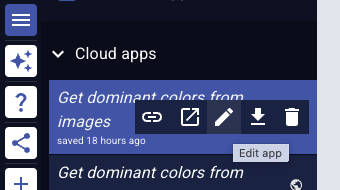
- Set app access level to "Public"
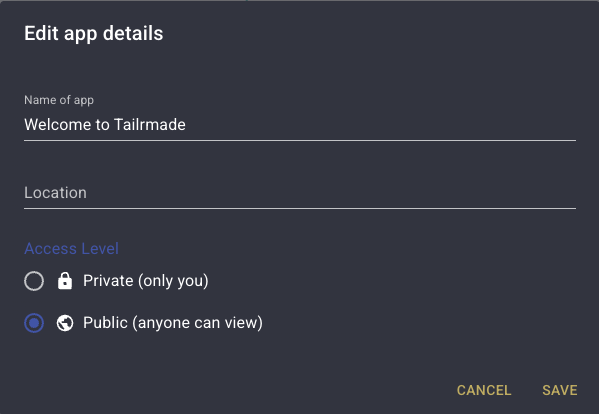
- Click "Save"
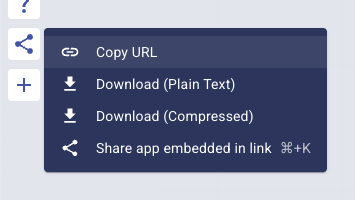
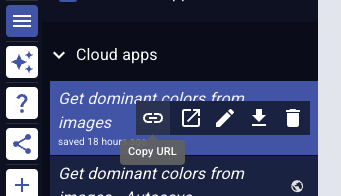
- Click on "Copy URL" in
- the share menu in the top left corner
- OR on the app name in the apps list
info
Opened on a phone, the share menu can be found in the bottom bar.
Embed in website
- Follow the steps above to make your app public
- Use an iframe HTML element to embed your app in any website
<iframe
  src="YOUR_APPS_PUBLIC_URL"
  width="800"
  height="600"
  style="border: none; border-radius: 8px;"
  title="Tailrmade App Embed"
  allow="camera"
  loading="lazy"
>
</iframe>
Replace YOUR_APPS_PUBLIC_URL with your app's actual public URL.
Customization options
You can customize how the embedded app appears:
widthandheight: Set dimensions (pixels or percentage)style: Add custom CSS (border, border-radius, box-shadow, etc.)
Download the app
- Open the app you want to download
- In the share menu on the top left, click on
- "Download (Plain text)" - JSON file
- OR "Download (Compressed)" - compressed file
- The file is downloaded in your browser's default download location
Share via content link
- In the share menu on the top left, click on "Share app embedded in link"
- OR press
Cmd/Ctrl+K
- OR press
- The app is encoded into the URL and copied to your clipboard
info
- Max URL size is around 5 MB
- Content links can get very long depending on the size of your app
- Some platforms may not support pasting very long URLs